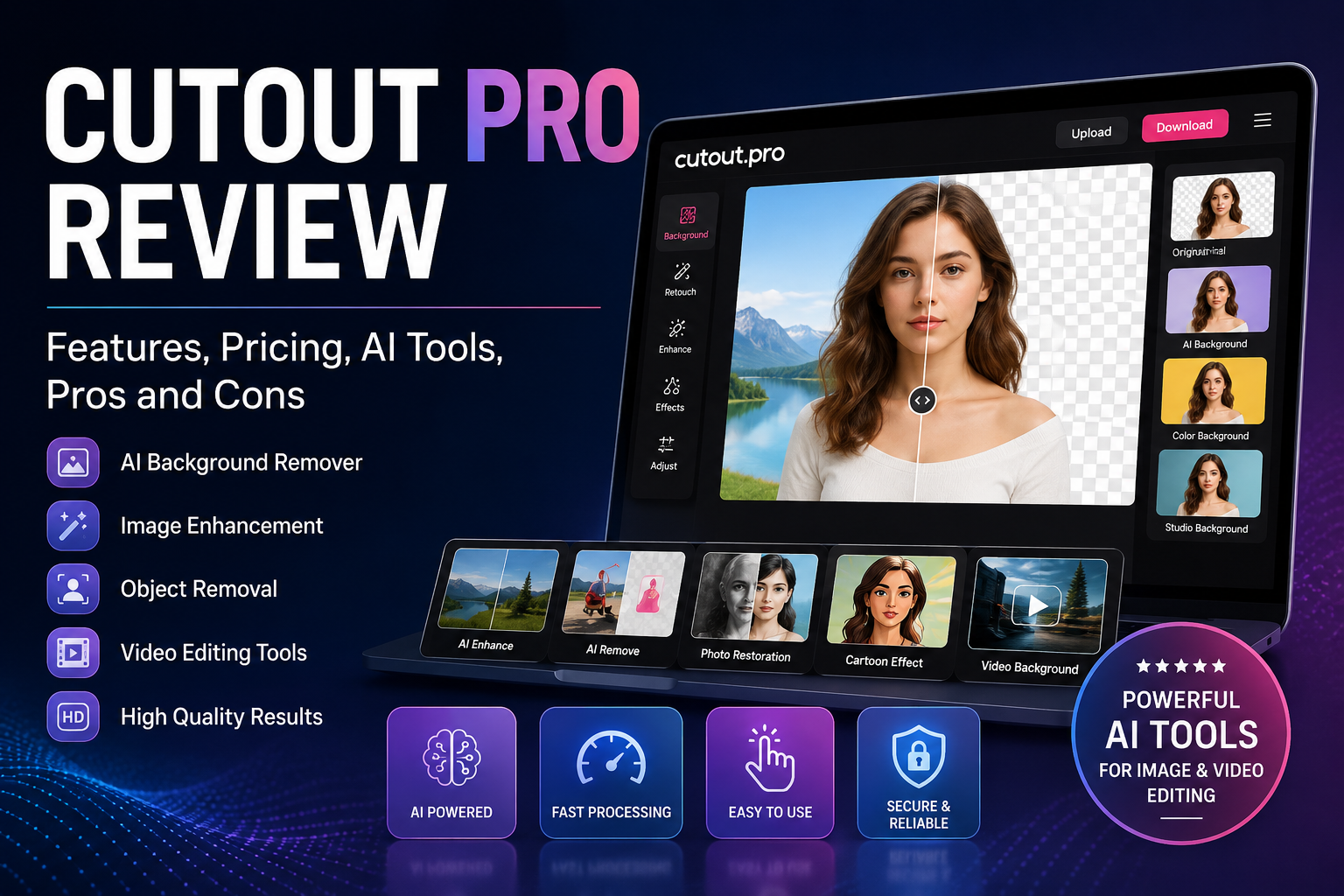
If you’re an ecommerce seller, a social media content creator, or anyone who works with photos and videos regularly, background removal is one of those repetitive tasks that eats up hours. Manually masking images in Photoshop is time-consuming, and not everyone has the design skills for it. This is the gap Cutout Pro tries to fill — an AI-powered visual editing platform that automates background removal, photo enhancement, and video editing in a matter of seconds.
This article covers Cutout Pro in detail: what it is, how it works, what it costs, what it does well, and a few important concerns — including a privacy issue that not many people know about.
What Is Cutout Pro?
Cutout Pro is a web-based AI platform that uses deep learning algorithms to automatically separate objects from images and videos. It started out as a time-saving solution for content creators, marketers, and ecommerce businesses, and has since expanded to include image restoration, upscaling, and AI-based enhancement.
The company claims more than 25,000 clients, including well-known names like Amazon, Facebook, Adobe, and Microsoft. The platform is accessible through a web browser, mobile apps (iOS and Android), and an API, which makes it easy to plug into existing business workflows.
According to the privacy documentation, the data controller is WINROAD HOLDINGS LIMITED, while other official pages reference Team LibAI and PicUP — so the exact parent company structure isn’t entirely clear.
Read more: Adrian Crypto Pro Network
Key Features of Cutout Pro
Cutout Pro’s toolset is fairly broad. Here are its most important features:
Background Removal: This is the platform’s flagship feature. On clean, well-lit subjects it produces professional cutouts without any manual masking — particularly useful for product photography and portraits.
Image Retouch and Object Removal: This lets you remove people, text, blemishes, power lines, or any unwanted clutter from a photo — for just 1 credit.
Photo Enhancer and Upscaler: This tool sharpens, denoises, and restores low-quality or old photos, and can also enhance night scenes and portraits. It costs double the standard rate, at 2 credits per image.
Video Background Removal: Without needing a green screen, Cutout Pro can remove backgrounds from MP4, WEBM, MOV, and GIF files (up to 2GB, 4K resolution, 30 FPS). This is genuinely useful for creators who can’t afford a studio setup.
Face Cutout, Passport Photos, Cartoon Effects, and Colorizer: These are smaller but handy tools that help with both personal and professional tasks.
API Access: Developers can integrate Cutout Pro’s processing power directly into their own apps, enabling large-scale automated image processing.
One thing worth being clear about upfront: Cutout Pro is not a full graphic design suite. If you need precise, layer-based editing the way Photoshop or GIMP offers, this tool falls short there.
Pricing and the Credit System
Cutout Pro’s pricing runs on a credit system, and it’s a little tricky to fully understand because different operations consume different amounts of credit.
Monthly Subscriptions (Image Credits):
- 80 credits — $5.00/month ($0.063 per credit)
- 170 credits — $9.90/month ($0.058 per credit)
- 300 credits — $16.90/month ($0.056 per credit)
- 550 credits — $29.00/month ($0.053 per credit)
- 1,000 credits — $49.00/month ($0.049 per credit)
- 1,450 credits — $69.00/month ($0.048 per credit)
Pay-as-you-go packs are also available and never expire — ranging from $4.99 for 30 credits up to $1,399 for 30,000 credits. These work better for anyone with seasonal or unpredictable usage.
One important detail that most reviews skip: only background removal and retouch cost 1 credit each. Tools like the enhancer, colorizer, cartoon selfie, and passport photo generator cost 2 credits. So if you want to remove a background and then enhance the same image, that’s 3 credits total per finished photo — meaning a 300-credit plan you might expect to cover 300 photos could actually only produce around 100 finished images.
Video pricing is completely separate and considerably more expensive than image processing. One minute of video background removal costs $9.00, and 15 minutes costs $108.00. The free preview is capped at just 5 seconds at 360P resolution, so you can’t fully judge output quality before paying.
Read more :Wezic0.2a2.4
What the Free Plan Actually Gives You
Cutout Pro’s free plan sounds generous on paper — unlimited previews and 5 free credits on signup. But the catch is that HD downloads always require credits. Free downloads come out at low resolution, which isn’t usable for most professional purposes.
There’s another detail worth knowing: a photo is counted as “processed” the moment a result is offered for download, and that’s when the credit gets consumed. Uploaded images are deleted after roughly an hour, so if you need the same file again later, you’ll have to reupload it — which can end up costing you an extra credit.
API and Automation Limits
For developers, Cutout Pro offers a REST API that accepts PNG, JPG, JPEG, BMP, and WEBP formats, with a maximum resolution of 4096×4096 and a file size limit under 15MB. The concurrency limit is just 5 simultaneous requests per second — notably lower than the “4,000 requests per second” figure the marketing pages advertise.
One terms clause worth flagging: if more than 15% of your requests fail, your API access can be blocked. So developers should validate file format, size, and quality before every call. The terms also prohibit reselling API access to third parties, and using the service for AI research or as training data is explicitly disallowed.
Privacy and Security — An Important Warning
This is the section most reviews leave out, but it’s arguably the most important one for business buyers.
According to independent research, in February 2024 a threat actor posted a database tied to roughly 20 million Cutout Pro accounts on a hacking forum, exposing email addresses, IP addresses, names, and salted MD5 password hashes. This breach is listed on trusted breach-tracking databases including Have I Been Pwned and Mozilla Monitor. Reports indicate the company disputed the incident, but no public incident response was ever issued.
There’s also an interesting contradiction worth noting: some marketing-facing sources describe Cutout Pro as offering end-to-end encryption, GDPR compliance, and SOC 2 Type II certification. However, independent verification found no public evidence of SOC 2, ISO 27001, or HIPAA certification. Given this discrepancy, it’s worth thinking twice before uploading sensitive or client-owned images — such as passport photos or identifiable faces — to this platform.
According to the official privacy policy, uploads are transferred over SSL/TLS and processed/non-processed files are deleted automatically, with server logs retained for no more than three months. Face-editing data is the one exception — it’s cached on AWS for 24 to 48 hours after the last edit.
Pros and Cons of Cutout Pro
Pros:
- Fast, automated background removal with no manual masking needed
- A broad toolset — background removal, retouching, enhancement, colorizing, and video all in one place
- Pay-as-you-go credits never expire
- A desktop app and REST API support higher-volume workflows
Cons:
- A verified 2024 data breach with no public response from the company
- A confusing credit system — reuploads or failed attempts can end up costing extra credits
- Limited manual editing control, so complex edges (hair, glass, texture) still need cleanup elsewhere
- Video and enhancement operations cost noticeably more than a basic cutout
Who Is Cutout Pro Best For?
Ecommerce and marketplace sellers who process clean, well-lit product photos in bulk will find Cutout Pro fairly cost-effective — roughly $0.05 to $0.09 per image. Social media creators who want fast, consistent cutouts will also find it useful. Developers who need automated image matting inside their own app get a workable API option — as long as they respect the request limits and validation rules.
That said, a few groups should probably look elsewhere. Luxury or precision product teams — working with jewelry, glass, or fine textures — will find the manual control too limited; Photoshop with a skilled operator is the better choice there. Compliance-bound businesses that need SOC 2 or ISO 27001 evidence should also be cautious, since no public certification evidence currently exists. And most importantly: sensitive or client-owned images — passport photos, identifiable faces, and similar content — shouldn’t go on this platform unless a risk owner has explicitly signed off.
Cutout Pro vs. Alternatives
If pure background removal quality is all you need, especially on fine hair edges, remove.bg is a cleaner and more predictable option. If you want a full design suite that also handles social media graphics, templates, and general photo editing, Canva Pro is a better fit. And if you need pixel-perfect precision — complex compositions or detailed masking — a manual tool like Adobe Photoshop or GIMP is still the right call.
Cutout Pro earns its place when you want background removal, enhancement, video processing, and an API all under one credit-based account, and when you’re working with high-volume, low-sensitivity images.
Final Verdict
Cutout Pro is a genuinely useful tool for anyone who values speed and automation — particularly ecommerce sellers and social media creators. Its pricing is reasonably competitive as long as you understand how credits work, and the toolset covers a lot of ground.
Before committing, though, keep two things in mind. First, the credit system is a little tricky, so it’s worth testing your hardest images with the free credits before subscribing. Second, and more importantly, given the verified 2024 data breach, think carefully before uploading any sensitive or identifiable personal data to this platform.
If your use case is simple product photos or casual social content, Cutout Pro is a solid, affordable choice. But if trust, compliance, or precision matter most to you, an alternative like remove.bg or Photoshop is the safer route.