Finding high-quality creative assets can be difficult when you are working with a limited budget. Video creators, YouTubers, bloggers, social media managers, and small businesses often need stock footage, background music, sound effects, and video templates to make their content look more professional.
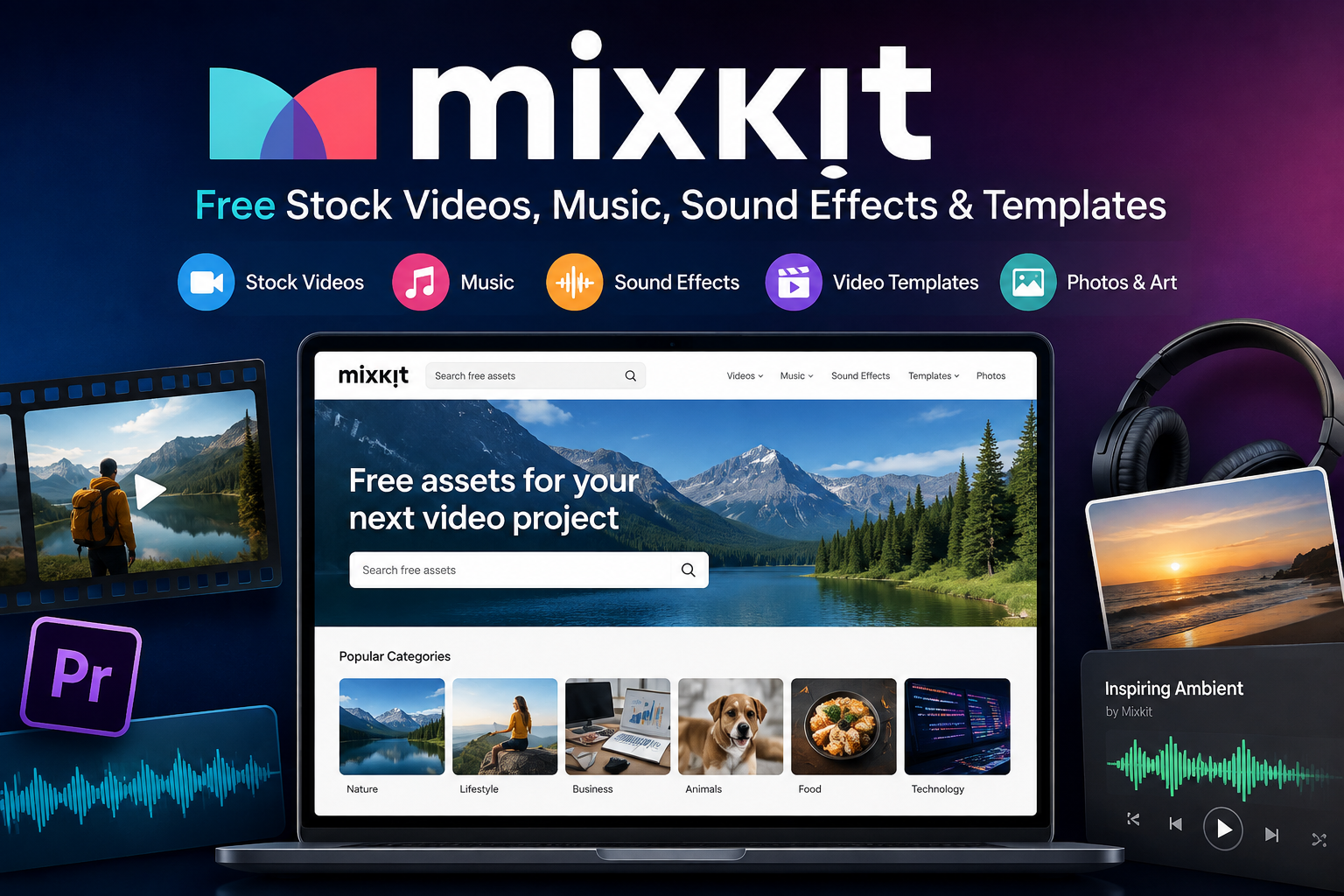
Mixkit is a free creative-resource platform that provides downloadable stock videos, music tracks, sound effects, video templates, and digital art. It is particularly appealing to creators who want useful media assets without immediately committing to a paid stock-media subscription.
However, there is an important detail that many users overlook: not every asset necessarily has identical usage rights. Different categories can have different licenses, and some stock videos are available under a Restricted License.
So, is this platform actually worth using? Is it suitable for YouTube and commercial projects? What can you download, and what should you check before publishing content?
This detailed review covers the main features, asset categories, licensing, advantages, limitations, and the types of creators who can benefit from this free resource.
What Is Mixkit?
Mixkit is a free online library of digital creative assets. According to its current terms, the platform is associated with Envato and provides free items including videos, music, templates, sound effects, and digital art.
The idea is simple: creators can browse the library, find an asset that fits their project, and download it without paying for every individual file.
The resources can be useful for projects such as:
- YouTube videos
- Social media content
- Presentations
- Blogs and websites
- Marketing videos
- Podcasts
- Educational projects
- Short films
- Personal creative projects
- Commercial video projects, where the applicable license permits it
One of the biggest attractions is that many resources can be downloaded without the traditional subscription model associated with premium stock-media websites.
Read more: Toongod
However, users should always check the license attached to the specific asset before using it commercially.
What Can You Download?
The library covers several important categories, making it more versatile than a website that only provides stock footage.
1. Free Stock Videos
Stock video footage is one of the main reasons creators visit the website.
The library includes footage covering different subjects, locations, lifestyles, nature scenes, business environments, technology, travel, food, people, and other visual categories.
These clips can be used as supporting footage when you do not have the time, equipment, or budget to record everything yourself.
For example, a YouTube creator making a video about travel might use stock footage to introduce a destination. A business could use suitable footage as part of a marketing video.
The official stock-video information explains that videos under the Free License can be used for commercial projects, including YouTube videos, social media marketing, online advertisements, and music videos. However, videos under the Restricted License are intended for non-commercial projects.
This distinction is extremely important.
Do not assume that every video has identical rights simply because the website provides free downloads.
2. Free Music
Background music can dramatically change the atmosphere of a video.
The service provides a collection of music tracks that creators can use in different types of projects.
Music can be useful for:
- YouTube videos
- Podcasts
- Social media videos
- Intro and outro sections
- Presentations
- Marketing content
- Short films
- Educational videos
The official licensing information identifies a separate Stock Music Free License, which means music should be considered according to its specific license rather than automatically applying the rules of stock video.
Read more: Adrian Crypto Pro Network
This is a good example of why checking the individual license is better than relying on a general statement such as “everything is copyright-free.”
3. Sound Effects
Sound effects are another useful part of the library.
A video can look good but still feel incomplete if the audio design is weak.
Creators can use sound effects for transitions, actions, environments, animations, intros, short-form videos, and other creative projects.
Official licensing information lists sound effects under a Free License.
For video editors, this can make the service a convenient supplementary resource.
Instead of searching several websites for stock footage, music, and effects, creators can find multiple types of assets through one platform.
4. Video Templates
Templates can save a significant amount of editing time.
Free templates are available for applications including:
- Adobe Premiere Pro
- Adobe After Effects
- Final Cut Pro
- DaVinci Resolve
The official template library says these files can be downloaded without sign-up or attribution and can be used for personal and commercial projects under the applicable template license.
Templates are particularly useful for creators who want professionally structured animations without building every effect from scratch.
A template can provide the basic structure while the creator changes the text, colors, images, timing, and other elements.
5. Art and Illustrations
Digital art and illustrations are also listed among the available asset categories.
These resources can be useful for blogs, websites, presentations, social media graphics, and other creative work.
As with the other categories, users should check the relevant license before using an item in a commercial project.
Is Mixkit Really Free?
Yes, the service is designed around free downloadable creative assets.
However, free does not mean that every asset has exactly the same usage rights.
This is probably the most important point to understand before using the library.
The official license page separates content into different license categories.
For example:
| Asset Type | License Consideration | Commercial Use |
|---|---|---|
| Stock Video | Free or Restricted License | Depends on license |
| Stock Music | Stock Music Free License | Subject to music license |
| Sound Effects | Free License | Generally permitted under license |
| Video Templates | Free License | Permitted under license |
| Art | Free License | Permitted under license |
The safest approach is simple:
Check the license attached to the asset before publishing your finished project.
This takes only a moment but can prevent avoidable copyright or licensing problems.
Is Mixkit Copyright-Free?
The phrase “copyright-free” can be slightly misleading.
The official stock-video information describes videos under its Free License as both copyright-free and royalty-free, while also explaining that Restricted License videos are for personal projects only.
More broadly, the terms explain that downloading an item does not transfer ownership of that item to the user. Instead, users receive a non-exclusive license to use the asset under the applicable terms.
That distinction matters.
You are generally receiving permission to use an asset under specific conditions. You are not becoming the copyright owner of the original stock asset.
Therefore, creators should avoid presenting downloaded material as if they personally created or own the underlying stock content.
Can You Use Mixkit Videos on YouTube?
Yes, the platform can be useful for YouTube creators.
The official stock-video information states that videos under the Free License can be used in YouTube videos, while Restricted License videos are limited to non-commercial uses.
This makes the library potentially useful for:
- YouTube intros
- B-roll footage
- Background scenes
- Educational videos
- Travel videos
- Technology videos
- Product presentations
- Short-form content
However, creators should identify the license of each downloaded clip.
A good workflow is:
Find asset → Check license → Download → Edit → Publish
Rather than:
Download → Publish immediately
That small extra step makes your workflow much safer.
Using the Platform for Commercial Projects
The service can also be useful for commercial content when the relevant asset license permits commercial use.
For example, properly licensed footage may be incorporated into a marketing video, while suitable templates can be used to create promotional content.
The official site specifically states that Free License stock videos can be used in online marketing advertisements and commercial projects.
But commercial users should be particularly careful with Restricted License assets.
If you are creating content for a company, client, monetized channel, advertisement, or another commercial purpose, verify the license before using the file.
This is especially important when working for clients because the responsibility for properly licensing third-party assets can become part of the project workflow.
User Experience
One of the strongest points is its relatively straightforward browsing experience.
Creators can explore different categories and preview media before downloading.
This is useful when you are looking for a very specific type of footage.
For example, instead of downloading random clips and checking them one by one, you can browse categories and identify suitable footage visually.
The platform is also beginner-friendly because the basic process does not require advanced technical knowledge.
You do not need to understand complicated stock-media systems before exploring the library. However, understanding the license before publication remains important.
For Video Editors
Video editors can use this resource as a supplementary asset library.
Imagine you are editing a five-minute YouTube video and need:
- A city establishing shot
- A transition
- Background music
- A few sound effects
- An animated title
Instead of creating everything yourself, you can potentially find suitable resources in the library.
Templates are particularly useful here because they can reduce repetitive editing work.
The current template collection includes resources for several popular editing applications, including Premiere Pro, After Effects, Final Cut Pro, and DaVinci Resolve.
That makes the service more useful for editors who already work with these applications.
For YouTubers and Social Media Creators
Content creators constantly need new visual and audio material.
Whether you are creating long-form YouTube videos, Instagram content, short videos, educational clips, or promotional content, stock assets can help fill gaps in your original footage.
The library is especially attractive when budget is a concern.
Instead of paying for a large subscription simply to download a handful of clips, creators can first explore free resources.
However, free stock content can also become familiar because other creators may use the same popular clips.
For this reason, stock footage works best when combined with original narration, editing, graphics, screen recordings, photography, or other unique content.
The goal should be to use stock media as an ingredient rather than making the entire video feel like a collection of unrelated stock clips.
Pros of Mixkit
Free Creative Resources
The biggest advantage is obvious: creators can access a range of media assets without paying for each download.
Multiple Asset Categories
The library offers more than video footage. Music, sound effects, templates, and art make it more versatile.
Useful for Beginners
The browsing and downloading process is relatively straightforward.
Helpful for YouTube
Creators can use appropriately licensed footage, music, and effects in their videos.
Video Templates
Templates can save editing time, especially for users working with supported applications.
No Attribution for Many Assets
The platform states that attribution is not required for its free stock videos and templates, although the exact applicable license should always be checked.
Cons of Mixkit
Licensing Requires Attention
The biggest drawback is not necessarily the platform itself but the possibility of misunderstanding the different licenses.
Some stock videos have a Restricted License, meaning they are intended for personal, non-commercial use.
Not Every Asset Fits Every Project
You may find a good clip but discover that its license does not fit your intended commercial use.
Popular Assets Can Become Repetitive
Free stock libraries are accessible to many creators, so the same footage can appear in multiple videos.
Not a Complete Editing Program
The website provides assets and templates; it is not intended to replace professional video-editing software.
Mixkit vs Paid Stock-Media Platforms
The biggest difference from paid services is the free-access model.
Paid stock platforms may offer larger libraries, premium assets, advanced search systems, and broader collections.
This free resource is more suitable when you want to reduce your media budget and can work within the available collection and licensing rules.
| Feature | Mixkit | Paid Stock Platform |
|---|---|---|
| Basic stock footage | Yes | Yes |
| Free downloads | Yes | Usually limited |
| Music | Yes | Yes |
| Sound effects | Yes | Usually |
| Video templates | Yes | Often |
| Subscription required | No for free assets | Often |
| Premium exclusive content | Limited | Usually more |
| License complexity | Asset-specific | Depends on provider |
| Best for | Budget-conscious creators | Large professional workflows |
The choice depends on your needs.
If you are a beginner or occasional creator, starting with free resources can make sense. If you manage a large commercial production operation, a paid library may provide greater depth and consistency.
Who Should Use Mixkit?
This platform is a good option for creators who need free media resources without immediately purchasing a subscription.
It can be particularly useful for:
- YouTubers
- Video editors
- Bloggers
- Students
- Social media creators
- Freelancers
- Small businesses
- Marketing teams
- Podcasters
- Web designers
It is less suitable as the only asset source for a large production team that needs highly specialized or exclusive footage.
Tips for Using the Resources Safely
Before using these assets in an important project, follow a few simple habits.
Check the Asset License
Do not rely only on the website being “free.” Look at the license associated with the specific asset.
Save the Asset Information
For important commercial projects, keep a record of the downloaded file and its license information.
Avoid Redistributing Raw Assets
The fact that an asset can be downloaded does not mean you can simply re-upload or sell the original file as your own stock asset.
The terms specifically explain that users receive a license rather than ownership of the downloaded item.
Add Original Creative Work
Combine stock footage with your own narration, editing, graphics, photography, or other original elements.
Recheck Licenses for Important Projects
Licensing information can change, so checking the current official terms is a smart habit before using assets in a major commercial production.
Final Verdict
Mixkit is a useful free resource for creators who need stock videos, music, sound effects, templates, and digital art without immediately paying for a stock-media subscription.
Its biggest strength is the variety of creative assets available through a simple free-access model.
For YouTubers, bloggers, social media creators, students, freelancers, and small businesses, it can be a valuable addition to a creative workflow.
The main thing to remember is that free does not mean every asset has identical usage rights.
Different licenses can apply to different asset categories, and stock videos can fall under either Free or Restricted licensing.
So, if you find the perfect video or music track, take a few seconds to check its license before using it.
Used correctly, this free creative-resource platform can help creators produce better-looking content while keeping production costs under control. It is not a replacement for professional editing software or every premium stock library, but it is definitely worth exploring.